Aadhaar App Update: UIDAI Launches New App to Update Aadhaar Mobile Number and Address from Home

Aadhaar App Update: The Unique Identification Authority of India (UIDAI) has brought a major relief for Aadhaar card users. Gone are the days of standing in long queues at Aadhaar centers for minor corrections or updating mobile numbers. With the launch of a dedicated mobile application, citizens can now perform essential tasks like changing their mobile number or updating their address from the comfort of their homes.
Features of the New App
Previously available only in beta testing mode, this app has now been officially released for everyone. Beyond just updating information, the app offers several advanced features:
- Digital Aadhaar & Security: Users can access a digital copy of their Aadhaar card and QR code directly on the dashboard. Additionally, to enhance security, users can lock their biometrics (fingerprints) instantly through the app.
- Selective Data Sharing: The app allows users to share only specific parts of their identity details (such as only the name or date of birth) instead of revealing the entire Aadhaar card information.
How to Install and Register
The app is easily accessible via the Google Play Store. Here is the step-by-step process:

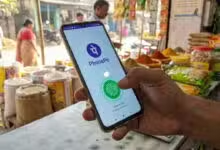
- Search for ‘Aadhaar’ on the Play Store and install the official app by the Unique Identification Authority of India. If already installed, ensure it is updated to the latest version.
- Open the app and grant necessary permissions for the camera and SMS.
- Click on ‘Continue to Register’, enter your Aadhaar number, and proceed after accepting the terms and conditions. Verification will be done via an SMS sent to your registered SIM.
- As a final security measure, complete the Face Authentication by scanning the cardholder’s face and set a 6-digit security PIN.
Steps to Update Mobile Number from Home
The most significant feature of this app is the ability to update mobile numbers remotely. To do this, go to the ‘Service’ option and select ‘Mobile Number Update’. Enter the new mobile number, verify it via OTP, and complete the face authentication process again.
A processing fee of ₹75 needs to be paid online for this service. Once the application is successfully submitted, the mobile number is usually updated within 7 days, though it may take up to a maximum of 30 days. Other services like address changes and family member requests can also be managed through this platform.
