

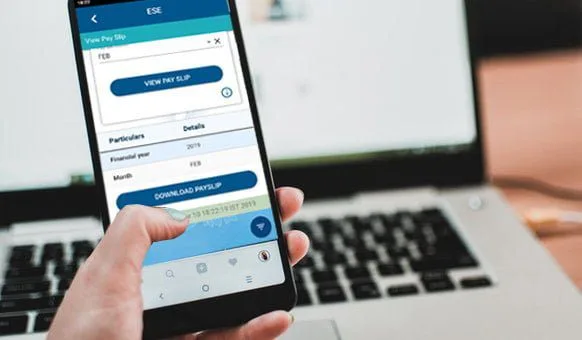

This article is showing the steps to Download payslip from WBiFMS app. West Bengal Finance Department launches a mobile application for Employees of West Bengal and for offices of West Bengal. An Employee can download Payslip from this app easily.
সূচিপত্র
Download WBIFMS Mobile App
The first thing to do is download the WBIFMS Mobile application from Google Play Store or Apple Apps Store.
Register in the WBIFMS Mobile App
After downloading the application, you have to register in the WBIFMS mobile app or generate MPIN for the application.
How to Download Payslip from WBiFMS App
Follow the steps to download Pay Slip from WBiFMS mobile app:-
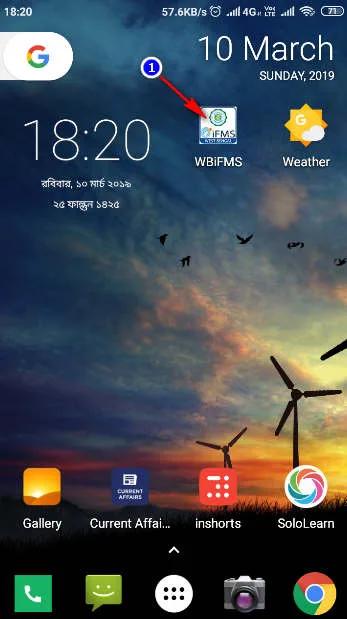
1. Open the WBiFMS Application.
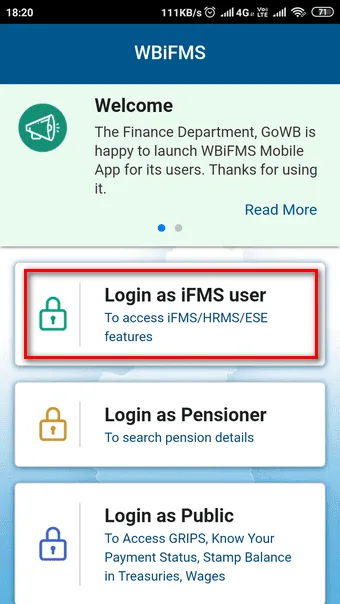
2. Tap on Login as IFMS User
3. Enter your MPIN.
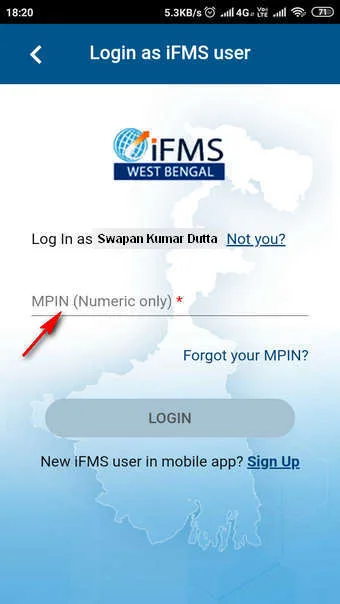
4. Tap on the Login Button.
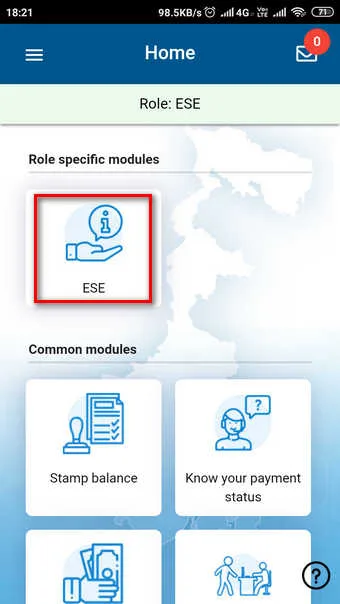
5. Tap on ESE (e-Services for Employees)
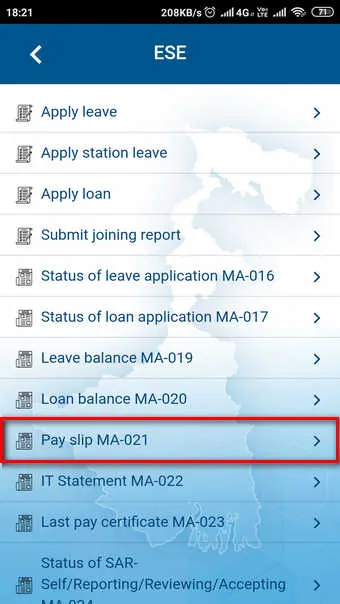
6. Select Year and Month for Pay Slip.
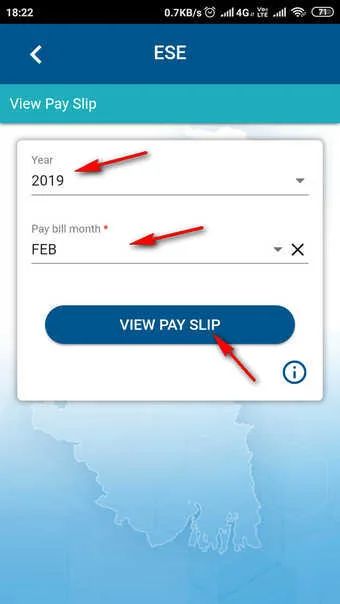
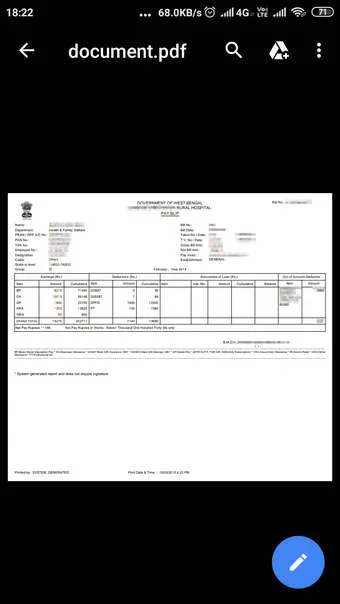
7. Click on the DOWNLOAD PAYSLIP button
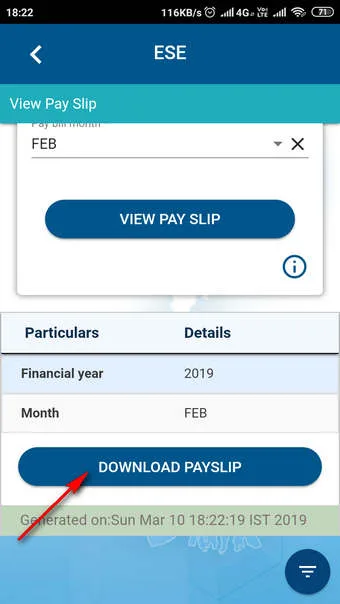
8. Now the PaySlip downloded successfully.
Thank you 😊


Comments are closed.